
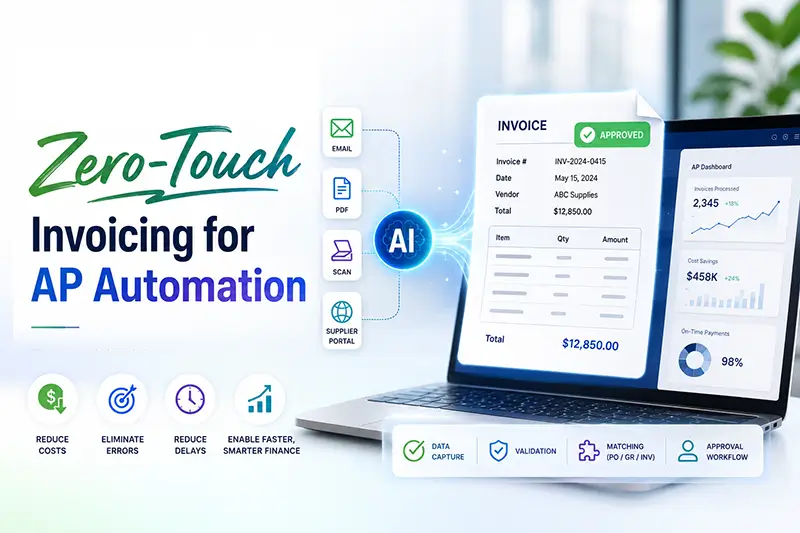
What if your accounts payable team never had to touch an invoice?
A surprising reality exists inside many growing businesses: despite advances in digital finance, most accounts payable (AP) workflows still rely heavily on manual effort. In fact, many organizations continue to spend days processing invoices that should take minutes, with manual processes costing up to $12-$15 per invoice and extending cycle times to weeks.
As invoice volumes continue to rise, hiring more staff is not always the answer. Instead, forward-thinking organizations are turning to zero-touch invoicing—an AI-powered approach that automates accounts payable (AP) workflows from invoice receipt to payment approval with minimal or no human intervention.
The result? Faster processing, lower costs, stronger compliance, and more time for strategic financial work.
What Is Zero-Touch Invoicing?
Zero-touch invoicing refers to the complete automation of invoice processing using technologies such as Artificial Intelligence (AI), Optical Character Recognition (OCR), Machine Learning (ML), and intelligent workflow automation.
Rather than manually opening emails, downloading invoices, entering data into ERP systems, verifying purchase orders, and routing approvals, the system handles these tasks automatically.
A typical zero-touch invoicing workflow includes:
- Invoice capture from email, portals, or scanned documents
- AI-powered data extraction
- Validation against purchase orders and vendor records
- Automated coding and categorization
- Approval routing based on predefined business rules
- Payment scheduling and ERP synchronization
- Audit trail generation and compliance tracking
For accounting teams, the process becomes exception-based rather than task-based. Employees only review invoices that trigger discrepancies or require special attention.
Why Small Accounting Teams Need AP Automation
Large enterprises often have dedicated AP departments. Smaller organizations rarely enjoy that luxury.
A team of two or three accounting professionals may be responsible for:
- Accounts payable
- Accounts receivable
- Payroll
- Financial reporting
- Compliance management
- Vendor communication
When invoice volumes increase, manual AP processes quickly become a bottleneck.
Common challenges include:
- Data Entry Errors: Manually entering invoice information introduces the risk of incorrect amounts, duplicate entries, coding mistakes, and vendor mismatches.
- Approval Delays: Invoices often sit in inboxes waiting for approvals, leading to missed payment deadlines and strained vendor relationships.
- Limited Visibility: Tracking invoice status manually makes it difficult to identify bottlenecks and forecast cash flow accurately.
- Compliance Risks: Incomplete documentation and inconsistent approval processes can create audit challenges and increase financial risk.
Zero-touch invoicing addresses each of these issues by creating a streamlined, standardized, and highly accurate workflow.
How Zero-Touch Invoicing Transforms AP Workflows
Modern AP automation extends far beyond traditional OCR.
While OCR extracts text from invoices, AI adds intelligence to the process.
- Intelligent Invoice Recognition
- Automated Data Validation
- Purchase orders
- Vendor master records
- Contract terms
- Historical transactions
- Smart Approval Routing
- Continuous Learning
AI can identify invoice formats from thousands of vendors, even when layouts vary significantly. This eliminates the need for manual template creation.
The system cross-checks invoice details against:
Any discrepancies are automatically flagged for review.
Instead of manually forwarding invoices, AI-driven workflows route documents to the appropriate approvers based on predefined rules such as invoice amount, department, vendor, or project.
Machine learning models improve over time by analyzing historical invoice patterns and user corrections, increasing accuracy and reducing exceptions.
The more invoices processed, the smarter the system becomes.
Key Benefits of Zero-Touch Invoicing
- Faster Processing Times
Invoices that once took days or weeks to process can move through the system in hours or even minutes.
This acceleration helps organizations take advantage of early-payment discounts while improving vendor satisfaction.
- Reduced Operational Costs
Automation eliminates repetitive manual tasks, allowing accounting teams to handle higher invoice volumes without increasing headcount.
- Improved Accuracy
AI-driven validation significantly reduces human error, duplicate payments, and data inconsistencies.
- Better Cash Flow Management
Real-time visibility into invoice status enables finance leaders to make informed decisions about working capital and payment schedules.
- Stronger Compliance and Audit Readiness
Every action is automatically recorded, creating a transparent audit trail that simplifies internal reviews and external audits.
- Enhanced Employee Productivity
Instead of spending hours on data entry, accounting professionals can focus on financial analysis, forecasting, and strategic planning.
Real-World Use Cases
Zero-touch invoicing is not limited to large enterprises. It is increasingly relevant to small accounting teams across industries.
- Professional Services Firms: Automate vendor invoice handling and reduce administrative overhead.
- Healthcare and Insurance: Ensure accurate processing of high-volume invoices while maintaining compliance.
- E-commerce and Retail: Manage supplier payments efficiently during peak transaction periods.
- SMEs with Lean Finance Teams: Scale operations without adding headcount by automating routine processes.
What Does a Successful Zero-Touch AP Strategy Look Like?
Implementing zero-touch invoicing is not simply about adopting new software. Successful organizations focus on three areas:
- Standardized Processes: Clearly defined approval workflows and vendor management policies create a strong foundation for automation.
- Intelligent Automation Technology: The right AI platform should handle invoice extraction, validation, workflow orchestration, and ERP integration seamlessly.
- Exception Management: No automation process will achieve 100% touchless processing immediately. The goal is to automate routine invoices while providing efficient review mechanisms for exceptions.
Organizations that balance automation with intelligent oversight typically achieve the best results.
How DeepKnit AI Powers Intelligent AP Automation
At DeepKnit AI, we help organizations move beyond traditional automation with intelligent AI agents designed to streamline complex financial workflows.
Our AI-powered solutions can:
- Automate invoice capture and data extraction
- Validate invoices against business rules and records
- Route approvals intelligently
- Integrate seamlessly with existing systems
- Reduce manual workload across AP operations
- Improve processing speed, accuracy, and compliance
Whether you’re managing hundreds or thousands of invoices each month, DeepKnit AI helps small accounting teams achieve enterprise-level efficiency without expanding headcount.
The Future of Accounts Payable Is Autonomous
The role of accounts payable is evolving.
Historically, AP teams were viewed as transaction-processing centers. Today, finance leaders expect accounting teams to provide insights that drive business performance.
Achieving this shift requires eliminating repetitive administrative work.
Zero-touch invoicing enables accounting professionals to spend less time processing paperwork and more time supporting strategic initiatives such as cash flow optimization, vendor negotiations, budgeting, and financial planning.
As AI capabilities continue to mature, autonomous finance operations will become the standard rather than the exception.
Ready for Zero-Touch Invoicing?
Partner with DeepKnit AI to design intelligent, scalable AP automation systems tailored to your business.
Contact Us